
Macaron Pixel Deletion Instructions

Instructions for Deleting Macaron Pixel Data
Detailed Steps and Precautions
Option 1: In-Game Account Deletion
-
Open the "Macaron Pixel" app and login to the game.

-
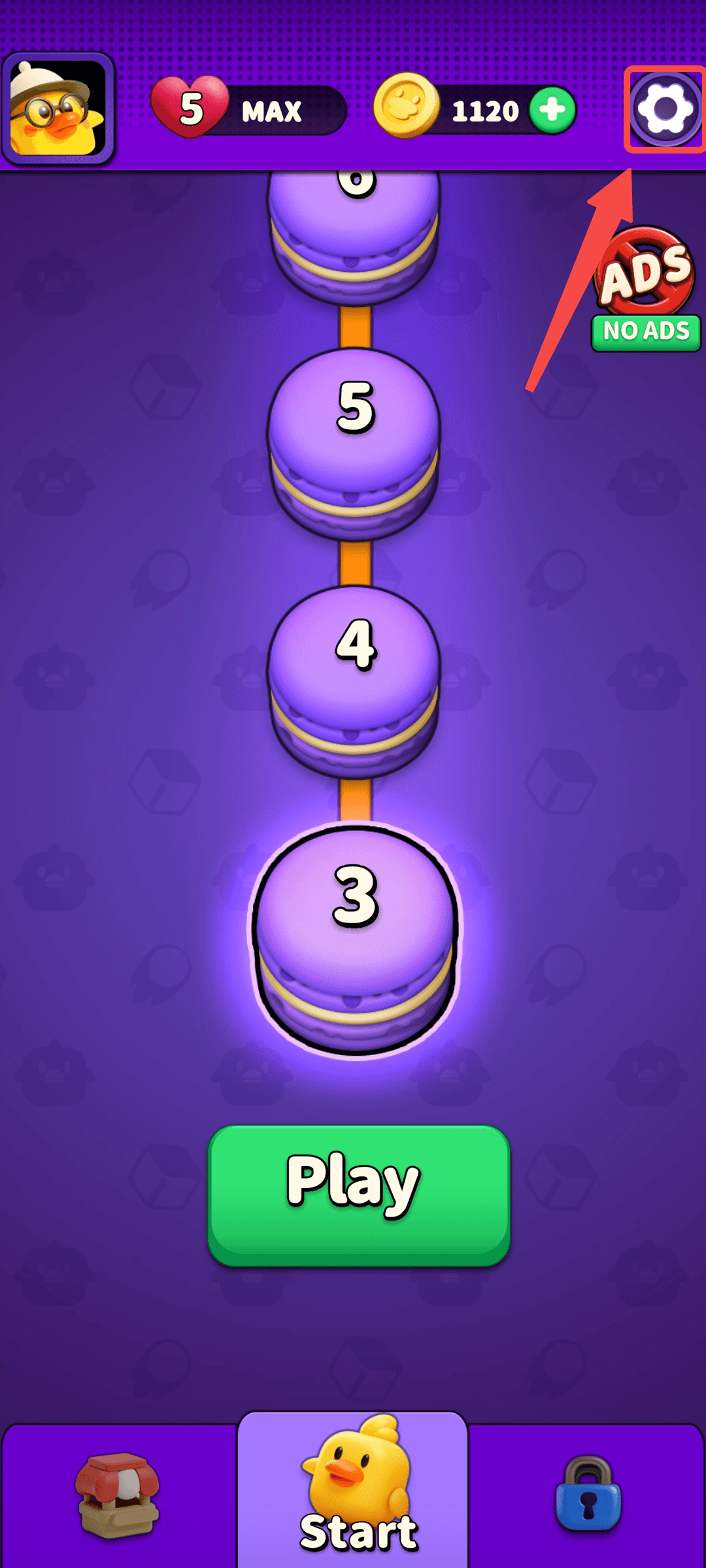
Click the "Settings" button in the upper right corner of the game interface to enter the settings interface.
-
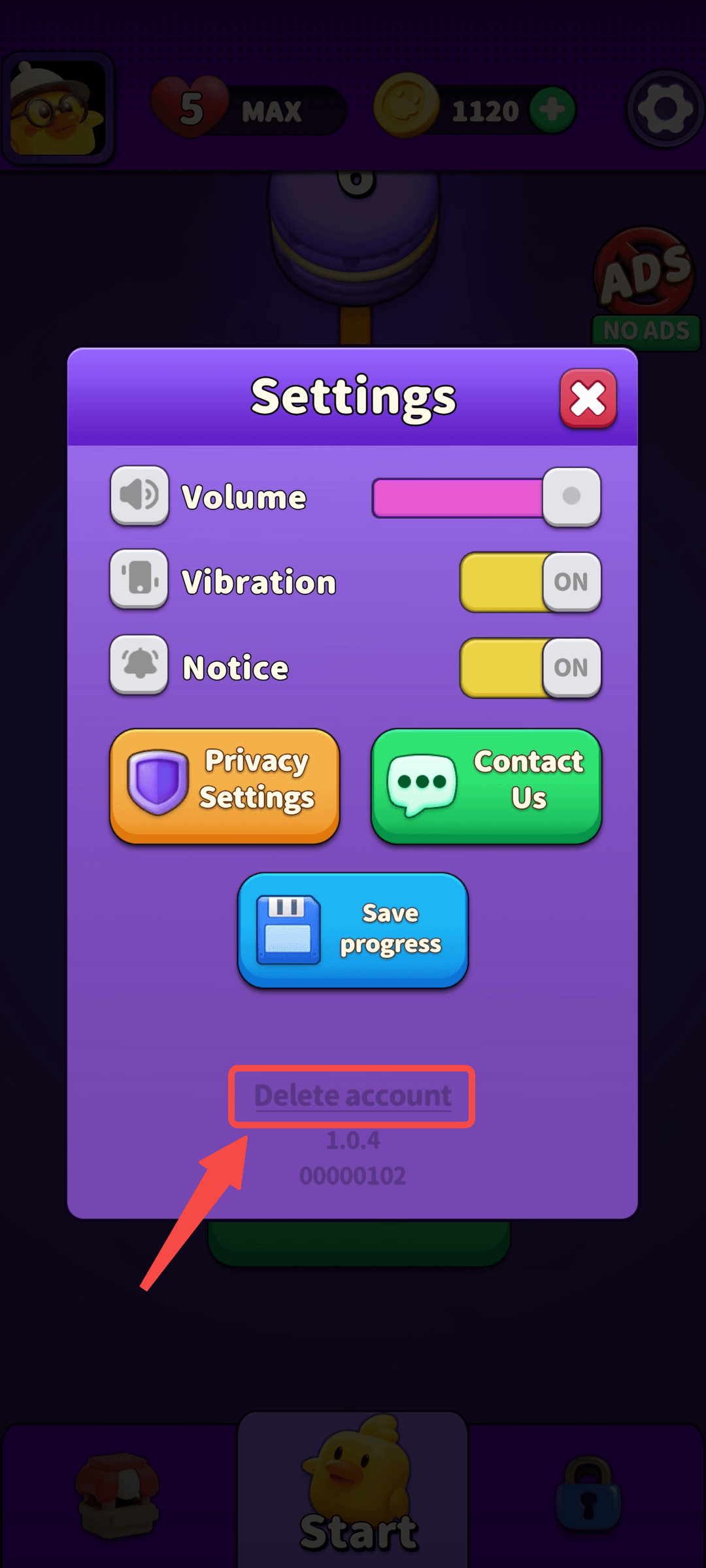
Enter the settings interface, click on "Delete Account".
-
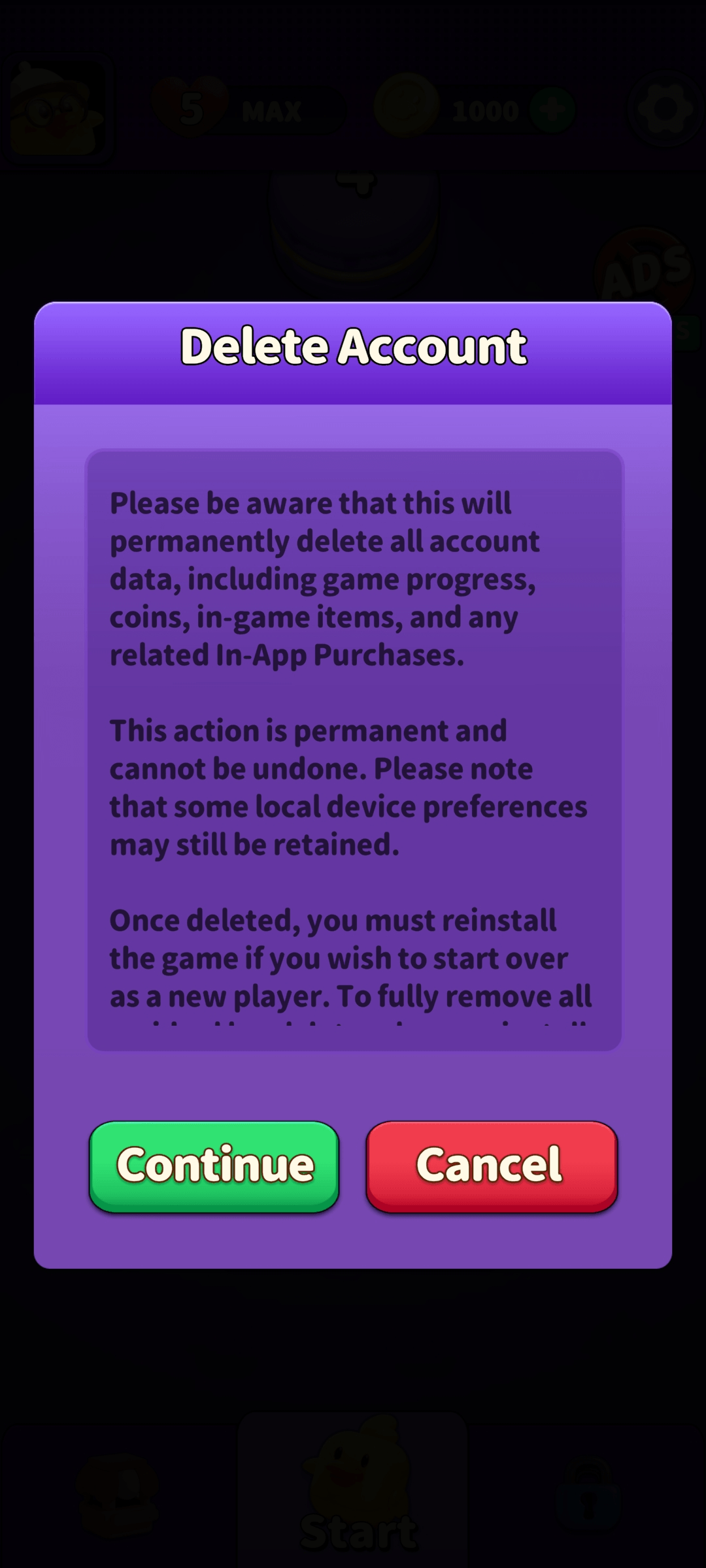
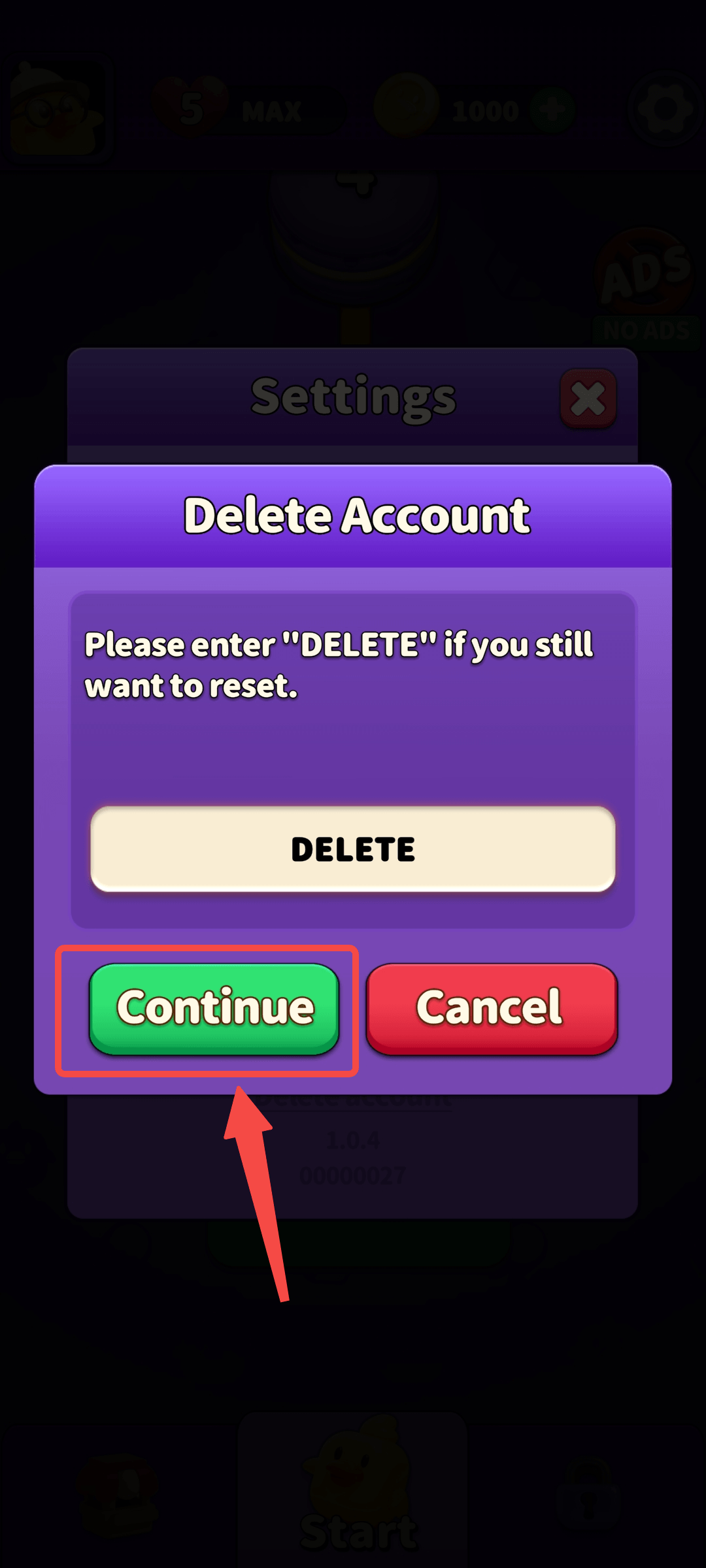
Enter the account deletion interface, click "Continue" to confirm that your account will be deleted soon.
-
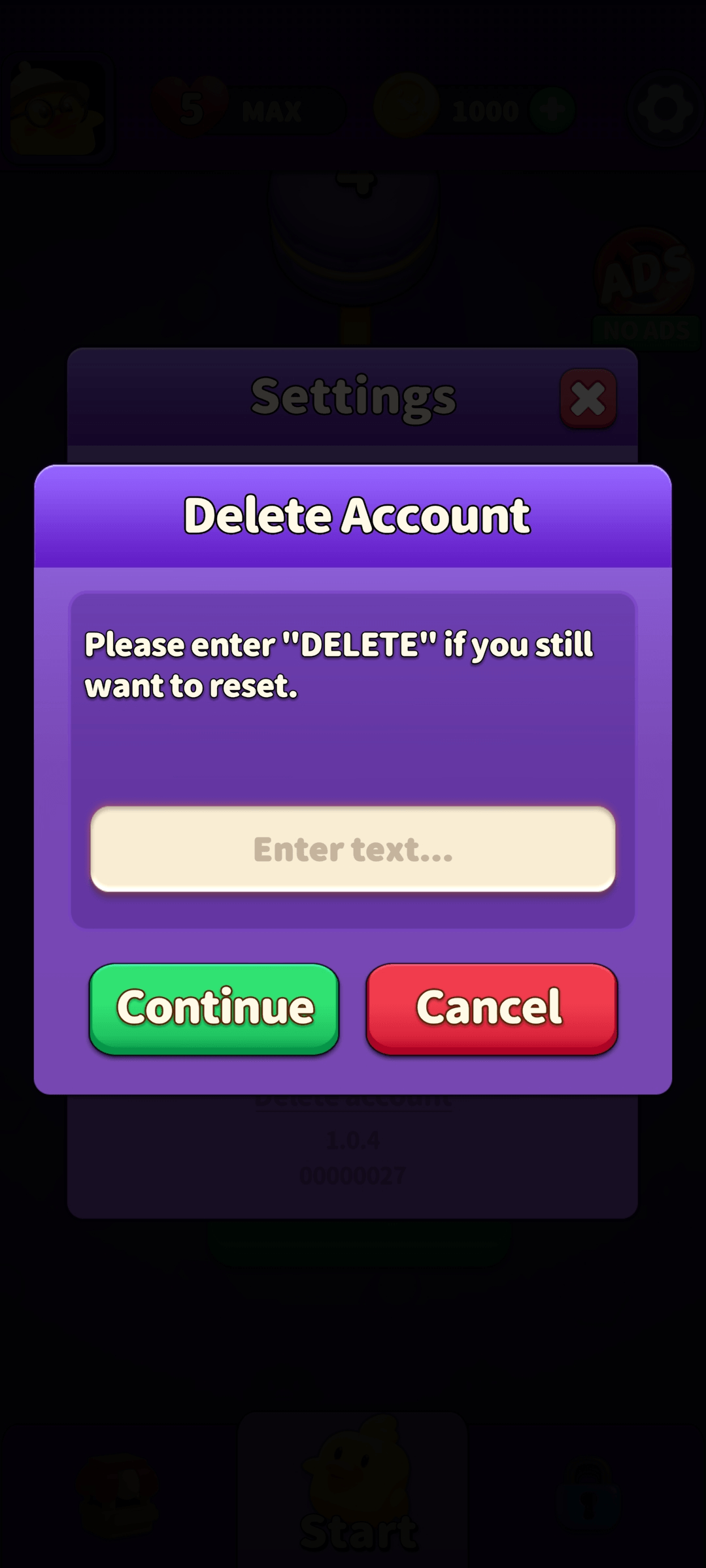
Enter "DELETE" and click "Continue".
-
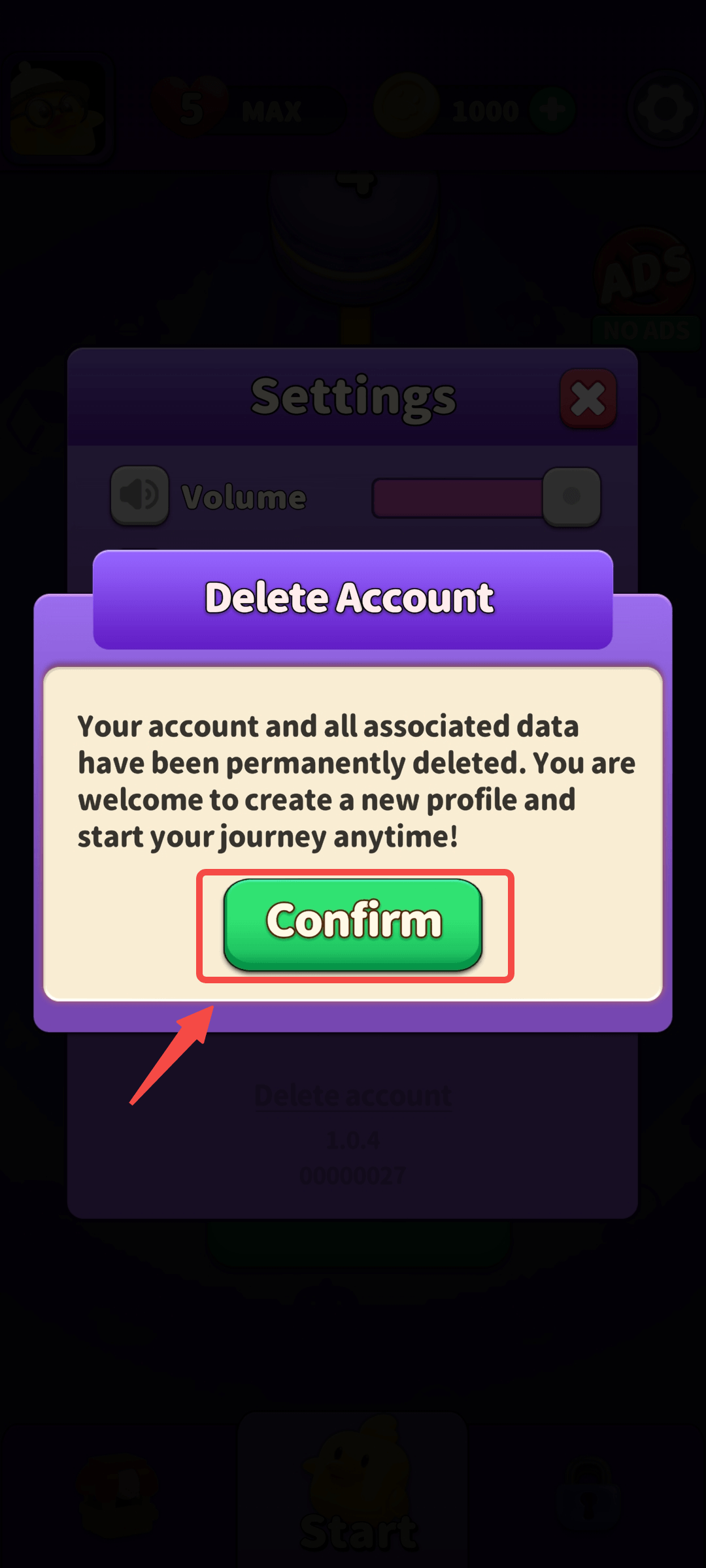
Enter the final confirmation interface for deletion, click confirm, then delete account successfully and return to the main interface.

Option 2: Request Account Deletion via Web
If you are unable to delete your account through the in-game settings menu, or if you prefer to have your data deletion request handled manually, we provide a convenient channel for such requests. Please submit your application using the information below, and our operations team will process your data removal request after verifying your identity.
Account Deletion Request Guide
| Contact Email | MacaronPixel@photonfox.com |
| Required Information |
Please include "Account Deletion Request" in the email subject line and provide the following details for verification:
|
Important: Data Permanence Notice Please be aware that once your account deletion request has been processed:
- Permanence: This action is permanent and irreversible. All game progress, purchase history, assets (including gold, items, etc.), and personal information associated with your account will be permanently erased from our systems.
- Irrecoverable: Once the deletion process is complete, we will be unable to restore your game save or any associated data.